Two weeks of focused work went into this update, and the result is a JABA that feels more complete and behaves more reliably. Whether you’re correcting a transaction you entered in a hurry or distributing your latest paycheck across your budget categories, the app now gets out of your way and lets you do it.
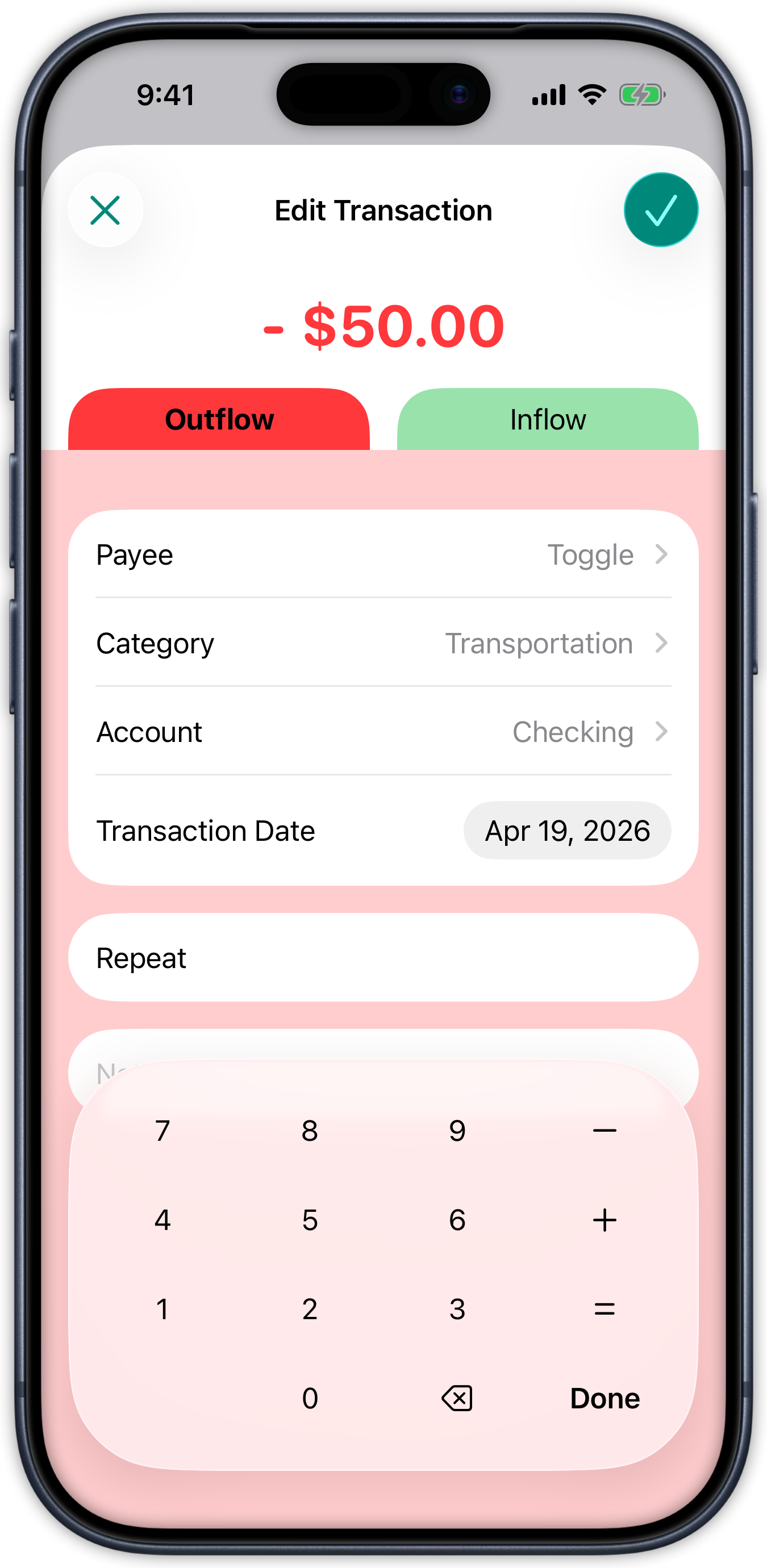
Editing Transactions
Until now, transactions were final the moment you saved them. If you entered the wrong amount, picked the wrong account, or forgot to assign a category, your only option was to delete and start over. That changes with this update. Tapping any transaction opens it in an editable sheet, pre-filled with everything you entered originally. You can update the amount, payee, category, account, date, or notes, and save. If you move a transaction to a different account, both account balances update to reflect the change.
Allocating Money to Budget Categories
Zero-based budgeting means you allocate money you already have, and that is now faster and more direct. Tapping the assigned amount on any budget category opens a sheet that shows how much inflow money is ready to allocate and pre-fills your current allocation for that category. Adjust the number, save, and your category row and progress bar update immediately. The unallocated figure updates in real time as you spread money across categories, so you always know exactly where you stand.
Category Selection When Adding Transactions
Alongside transaction editing, you can now assign a category when creating a new transaction. The category selector groups your categories the same way your budget does, with a clear indication of your current selection. Once you save, the budget view reflects the updated category balance right away, without requiring a manual refresh.
Account Balances That Stay Current
Account balances in your account list now update immediately after you save a transaction, rather than waiting until you navigate away and come back. It is a small change in behavior, but it means the numbers you see are always the numbers you can trust.
Accessibility and Visual Polish
Several tappable elements in the transaction and onboarding flows now work correctly with VoiceOver. Previously, those elements were not discoverable by assistive technologies. They have been replaced with proper interactive controls that VoiceOver can identify, announce, and activate. On the visual side, long currency amounts in account detail screens now truncate cleanly rather than shrinking to fit, onboarding screens have more consistent corner radii and spacing, and color theme swatches in Settings now render as circles as intended.
Stability Improvements
A number of fixes address issues that could have caused unpredictable behavior without being immediately obvious. State updates are now correctly handled on the main thread, which prevents potential UI glitches or crashes. Data operations run on dedicated background threads, reducing the risk of data loss or corruption during busy periods. Unnecessary disk writes have been eliminated, which is a modest improvement to battery and performance over time. These are the kinds of fixes that do not change what you see, but they do change how reliably JABA behaves over time.
Each of these improvements brings JABA closer to the experience it is meant to be.